






Build a WordPress freelance QA portfolio around a small publishing workflow you can repeat. Use a synthetic test site. Record the baseline, the exact candidate build, what you expected and what you observed. A client can then see the checks you ran and which gaps still need attention.
WordPress announced 7.2 Release Candidate 1 on 17 November 2026. Its release-party schedule lists 8 December as the planned final release. Some earlier general guides give different dates. Use the maintained schedule for milestones and recheck it before setting expectations.
Set up a WordPress freelance QA portfolio on a test site
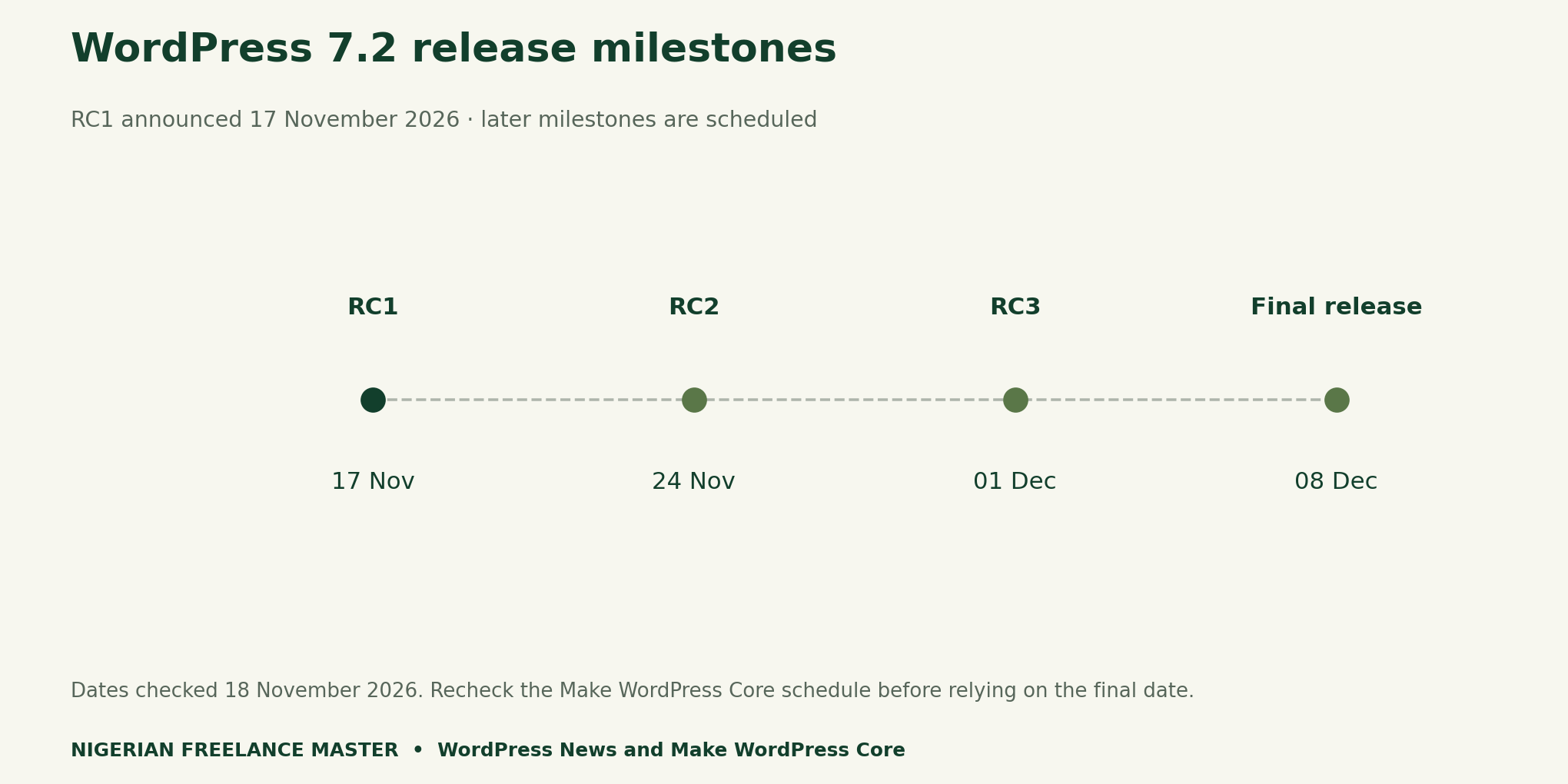
The RC1 announcement recommends an isolated test site because the build is still in development. Use a local site or the official disposable browser environment and create your own sample posts, pages and media. The WordPress testing guide describes the available test environments and routine workflows. Keep client data, credentials and production access out of a portfolio sample.
Pick one workflow: create a post, upload a benign image, add alt text, preview it at a narrow width, publish to the synthetic site, and edit the result. First, run the chosen cases on a stable baseline. Then record the theme, browser, viewport, fixture and active plugins. Repeat the same cases on RC1 and record any intentional difference in setup.
Document expected and actual outcomes
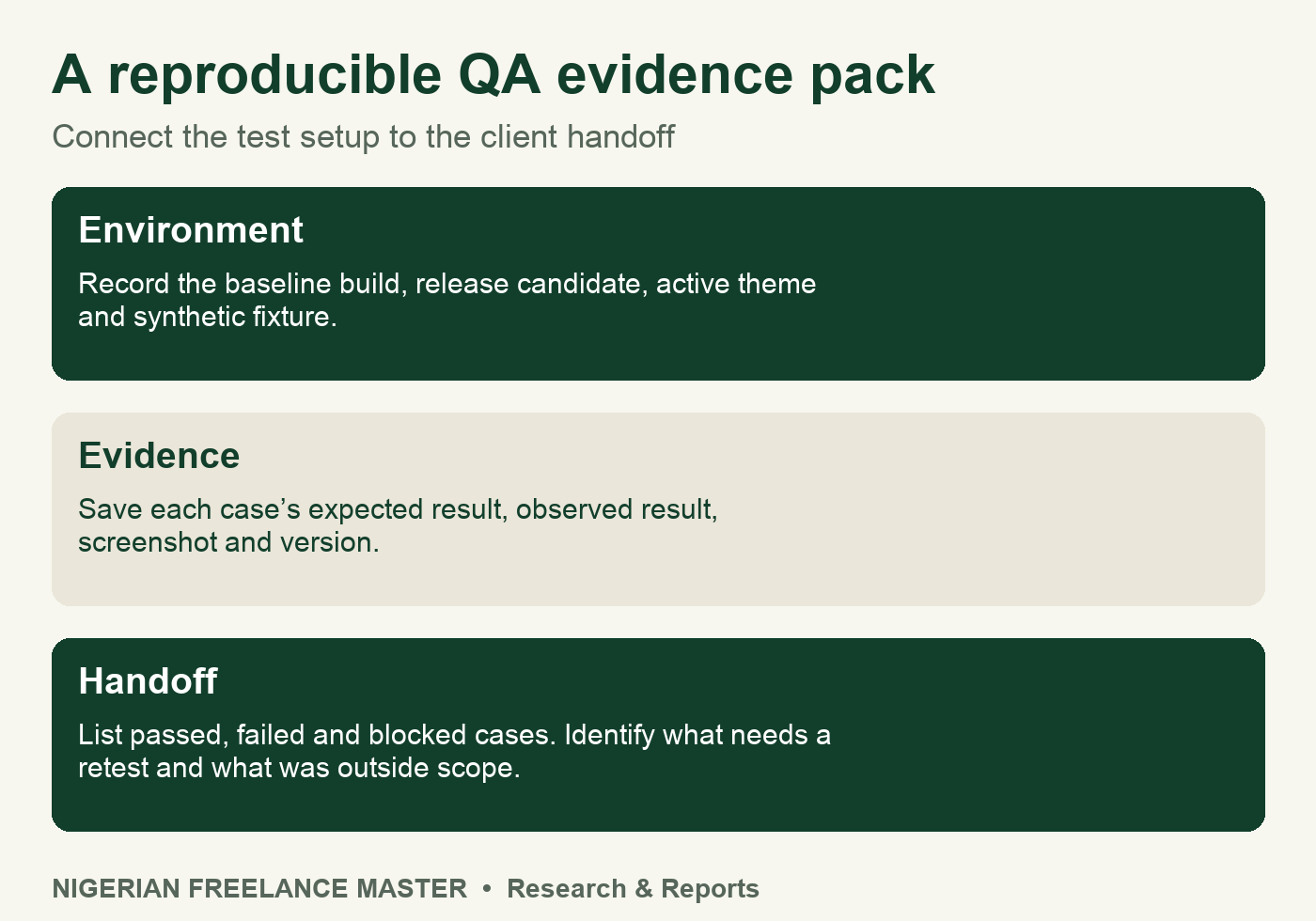
Give each case an ID, starting state and short sequence. For example, in a media workflow you might expect an uploaded demo image and its saved alt text to remain after reloading the draft. Write down what you see after the reload. Keep a screenshot of the relevant area and identify what it shows.
Use pass for a result that meets the expected behaviour. Use fail when you completed the case and observed a mismatch. In contrast, a blocked case is one you could not complete, for example because a demo fixture was missing. Add a separate reason, the next check and its expected owner.
Write a handoff the client can act on
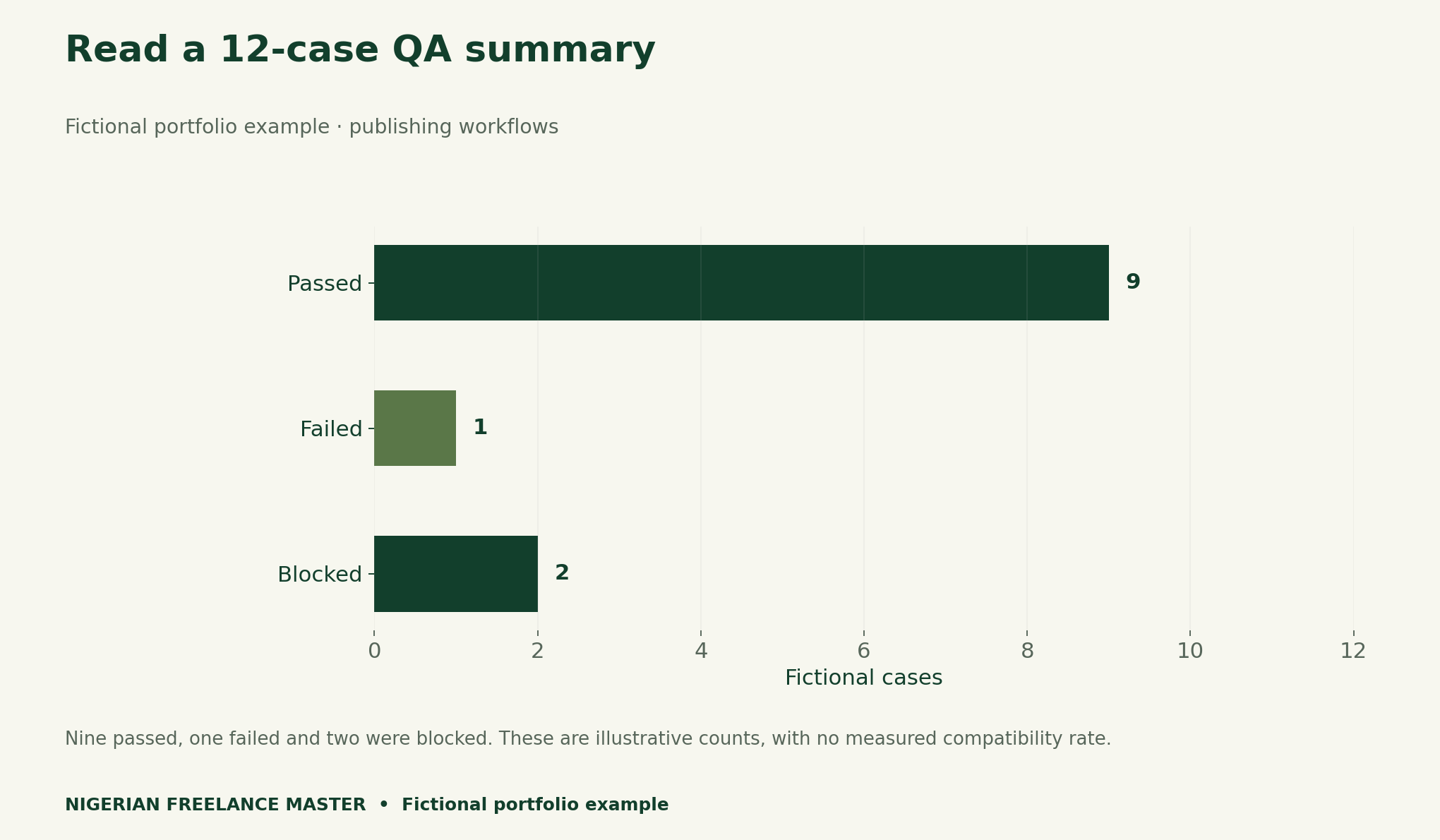
In the fictional example, say nine of 12 planned cases passed, one failed and two were blocked. The 10 completed cases are useful context. Keep the planned count and unresolved cases visible. Avoid turning the nine passes into a percentage of overall compatibility.
Finish with the scope, one actual issue summary if you ran the tests, and a short list of areas to retest. Keep environment details and evidence references beside the results. The final WordPress build needs its own run before a deployment decision. Our freelance portfolio guide explains how to present a work sample with its context.
Methods and downloadable templates
The milestone chart uses the RC1 notice and maintained release schedule. The result counts, workflow and handoff example are fictional. The environment manifest and blank case log help readers document their own isolated functional checks.